Library and deploy
Keep mods in a separate library. Deploy links or copies enabled files into the game folder, backing up the originals it replaces. Rollback uses that record to undo the deployment.
Windows · Free manager · Optional AI
A library, load order, profiles and tools in one place. We’re building Modsmith with Smith, an AI assistant for crash diagnosis, conflict patches, translation and putting a modded setup together.
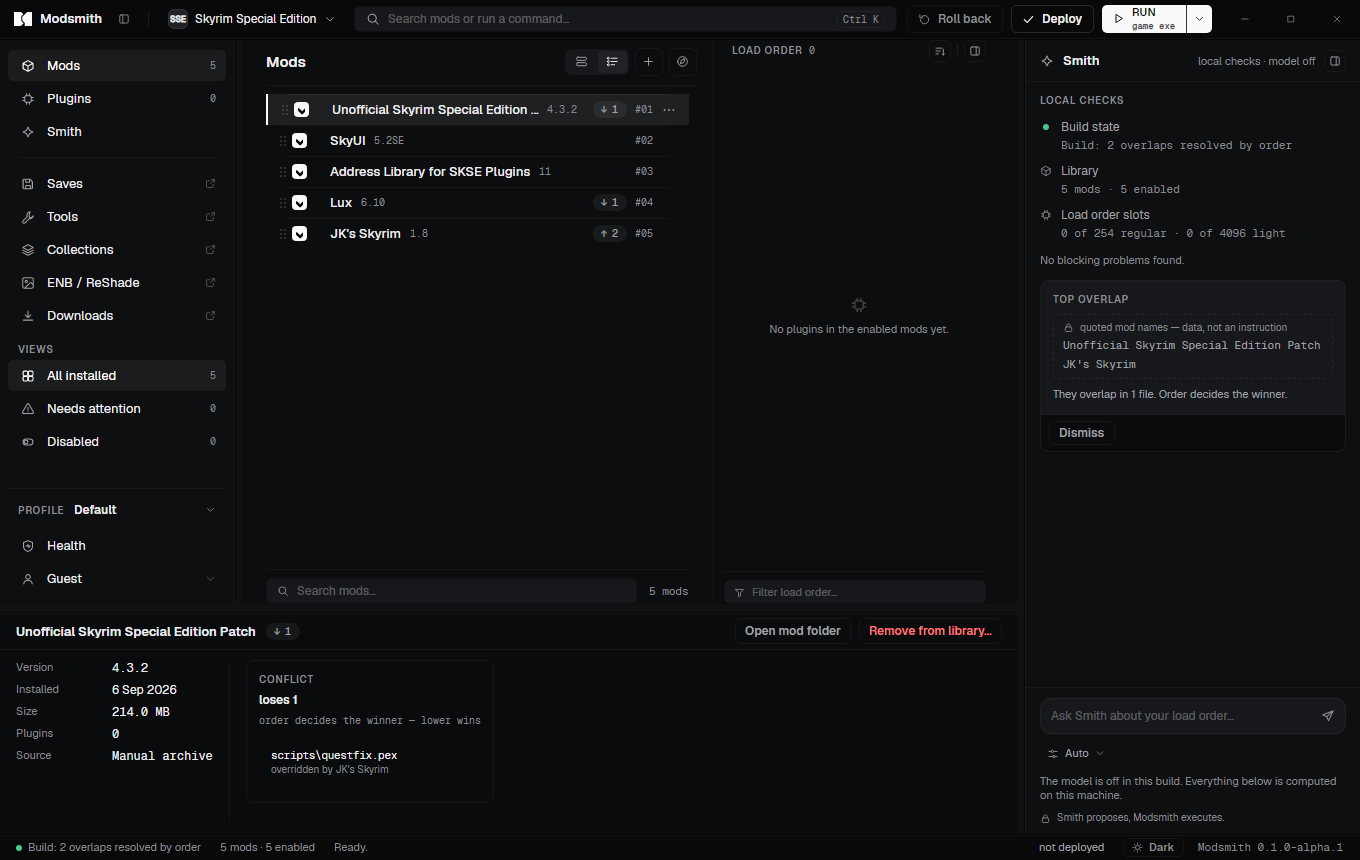
The manager
Organise a library, set the order, switch profiles and run your tools. Here is a preview of the manager we are preparing for release. Game-specific features depend on the integration.
Keep mods in a separate library. Deploy links or copies enabled files into the game folder, backing up the originals it replaces. Rollback uses that record to undo the deployment.
Drag mods to order them. A LOOT-based sort is a suggestion you can undo, never a rule. Slot counters show how many regular and light plugins you have left.
Keep different mod selections and orders for the same game. Game integrations can also provide separate save folders and checks for missing plugins.
Download through your own Nexus account, with support for Mod Manager Download links. Nexus account permissions and download rules still apply.
The wizard interprets installer options, conditions and previews from the archive. It never runs code shipped inside a mod.
Register xEdit, Nemesis, BodySlide, DynDOLOD and the rest. Run them against the real game folder and take their output in as a mod.
Export a build as a collection file, a list of links rather than a rehost. Import a Mod Organizer 2 instance without touching it.
Read a save to see which plugins it needs. Flag plugins as light with a backup. Edit game settings with versioned backups. Manage ENB and ReShade presets.
The assistant · planned
Smith’s cloud features are in development and are not available to use or purchase yet. The plan is simple: share the context for a task, review a proposal, then let Modsmith apply an approved change through its own tools.
Explain a parsed crash log, identify likely causes and suggest what to check next. Local pattern matching provides recommendations without an AI request.
Propose patches for supported conflicts. Modsmith validates the proposal and builds the patch after you approve it; the model does not edit plugin bytes.
Translate supported plugin strings and interface text while preserving identifiers and formatting. Translation usage is measured in words.
Describe the setup you want and work through mod choices, dependencies and load order with Smith. You decide what to download and apply.
Smith proposes, Modsmith executes. A model never writes to your files on its own.
How Smith worksThe crash is inside Cloth Physics Extended. That DLL was built for game runtime 1.5.97, and you are running 1.6.1170. The mod page lists a build for your version.
Update Cloth Physics Extended to 2.3, built for 1.6.1170
Opens the file on Nexus for you to download; it installs as a new version when it lands. The current version stays in the library.
Smith proposes, Modsmith executes.
Safety
Backups, a deployment journal and clear confirmations are part of the workflow. They help recover from changes; they do not make every mod or every build safe.
Deployment records the files it changes and backs up originals. Recovery uses that journal after an interruption. Keep independent save backups: rollback cannot undo everything a game or another tool changes.
DLL and EXE files inside a mod that the app does not recognise go to quarantine until you look at them. Nothing runs from an archive: FOMOD scripts are not executed, tools run only when you launch them.
Designed for a per-user installation, with no administrator rights required by Modsmith. The game and library folders need to be writable by your account.
Smith is designed to show the request before you first enable AI processing. Network features such as Nexus downloads and update checks also contact their services. The privacy policy explains the difference.
The planned request review shows the context for this task.
No request is sent by this preview.
Planned pricing
The manager will be free, including Nexus integration and local checks. Paid plans are for Smith’s cloud features. Subscriptions are not on sale; Max is planned for a later release with Build with Smith.
The whole mod manager.
$0/ forever
Fixes my crashes.
$7.99/ a month
Helps me build.
$19.99/ a month
Builds with me every day.
$49.99/ a month
We’ll publish the first public build here when it is ready. Until then, explore the features and the answers to common questions.